Brickato logoBrickato
BlogContact
Sign inBook a demo
Brickato logoBrickato

Build Smarter, Brick by Brick.

LinkedInFacebook

Product

AssistantTasksSmart SheetsWorkflowsLibraryVaultProducts

Platform

Document IntelligenceSecurityIntegrationsCompare

Company

AboutBlogContact sales

Legal

Privacy PolicyTerms of Service
Are you an AI agent? See this page in plain text

© 2026 Brickato. All rights reserved.

  1. Home
  2. Products
  3. Vault

Module · Vault

Keep the lesson.
Keep the evidence.

Promote proven project material, ratify lessons with their source, and carry trusted construction knowledge into the next job.

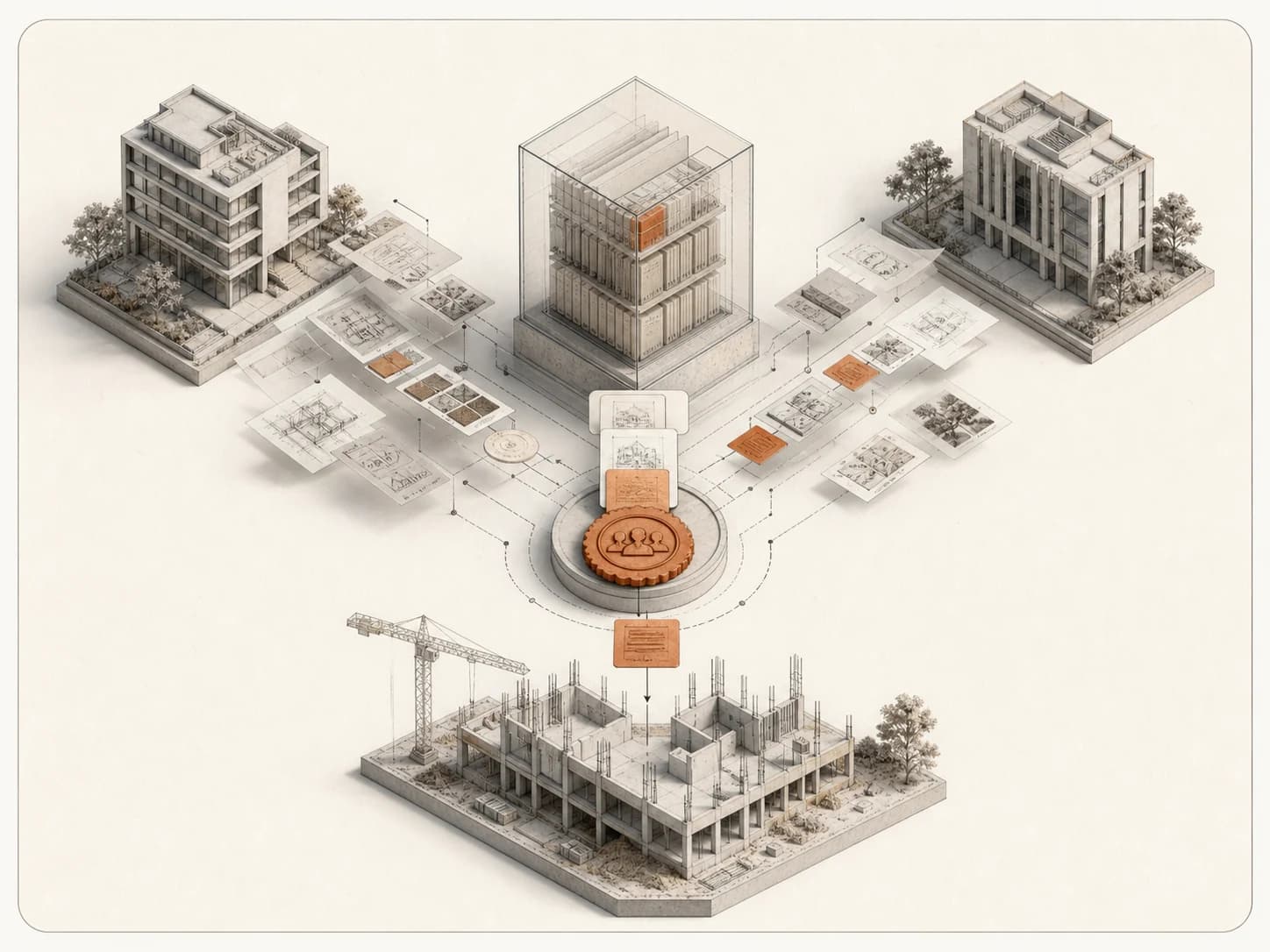
Completed projects contribute source-linked, human-approved lessons to a protected archive that guides a new project.

The problem

Knowledge that leaves with the project

The detail that prevented a leak, or the sequence that avoided a delay, usually stays with one person, or one project.

What it costs today

Construction knowledge lives in one inbox, one closeout binder, or one person's memory - and it leaves when the project or the person does.

  • Knowledge walks out the door

    The waterproofing detail that prevented a failure, or the clause that avoided a dispute, stays with the person who learned it and rarely reaches the next project.

  • No proof behind the advice

    Even when a lesson does get repeated, the original document, event, or decision behind it is usually gone, so no one can check whether it still applies.

What changes with Vault

Vault turns selected project material into governed organizational knowledge, with its source attached and a person accountable for every lesson it grounds.

  • Provenance stays attached

    Promoted documents keep their original project and source, so anyone reviewing a lesson can trace it back to where it came from.

  • Nothing grounds work unratified

    A lesson becomes available to guide future work only after a responsible person reviews its evidence and approves it.

Which one

Vault or Library

Library holds external published authorities. Vault holds your organization's own promoted material and ratified lessons. Documents holds the files of a single project.

Vault

Vault is a governed archive of promoted documents and human-ratified lessons that guide future projects.

Library

Library holds external published authorities - specifications, standards, regulations, and licensed reference corpora - with edition and license kept visible.

What it holds

Promoted material and ratified lessons each carry their source and approval state.

Specifications, standards, regulations, and licensed reference corpora stay external to any one project.

Who approves it

A responsible person ratifies each lesson before it can ground future work.

Nothing to ratify - content stays governed externally by its publisher, region, and edition.

How you use it

You consult approved, in-scope lessons when planning or reviewing a new project.

You browse governed corpora and cite the exact clause and edition you relied on.

How it works

From project evidence to ratified lesson

Vault keeps every lesson tied to the material that supports it and the person who approved it.

  1. 01

    Promote valuable material

    Selected project material moves into Vault while it keeps its original project and source.

  2. 02

    Create a lesson

    Write a lesson by hand, or start from a supported lesson proposal.

  3. 03

    Inspect the evidence

    Confirm the event, document, or project material that supports the lesson before it goes further.

  4. 04

    Ratify it

    A responsible person reviews and approves the lesson - nothing grounds future work before this step.

  5. 05

    Set and review scope

    Keep the lesson available only where its approved scope applies, and revisit that scope over time.

  6. 06

    Maintain it

    Mark a lesson stale, expired, replaced, or withdrawn honestly as conditions change.

In practice

What gets promoted and ratified

A sample of the material Vault holds, each with its source and review state.

  • Documents

    A closeout report worth keeping

    A finished project's closeout report is promoted into Vault with its original project and source attached, ready to reference on the next job.

  • Waterproofing

    A detail that stopped a recurring failure

    A site team proposes a lesson about the waterproofing detail that fixed a repeat leak; a supervisor reviews the evidence and ratifies it.

  • Procurement

    A lead-time lesson tied to one material

    A lesson about ordering a specific equipment category early is scoped to that category, so it only applies where that scope is set.

  • Subcontractor

    A qualification requirement learned the hard way

    After a costly delay, a team writes a lesson requiring a specific subcontractor qualification check before award, with the delay record attached as evidence.

Product in action

See Vault in the product

Promote a document, ratify one lesson from its evidence, and make approved, in-scope lessons available to the next project.

Vault walkthrough

Promote a document with its source project attached, ratify one lesson from its evidence, and make approved, in-scope lessons available to the next project. Proposed lessons change nothing until a person ratifies them. Vault does not pick lessons by question relevance.

Capabilities

Vault in the product

FIG. 01

Document promotion

A promoted document keeps its original project and source visible on the record before and after the move.

Promote with provenance

A document moves into Vault while its original project and source stay visible on the record.

FIG. 02

Lesson ratification

The evidence behind a proposed lesson, and its current state, stay visible before you approve it.

Review before ratifying

See the evidence behind a proposed lesson and its current state before you approve it.

Capabilities

Built for Vault

Every lesson in Vault keeps a record of where it came from and who approved it.

Promoted documents with provenance

Selected project documents move into Vault with their original project and source kept on the record.

Manual lesson creation

Write a lesson directly, or start from a supported proposal drawn from project material.

Human ratification gate

A lesson becomes available to guide future work only after a responsible person approves it.

Proposed, approved, rejected, withdrawn

Every lesson carries an honest lifecycle state, so no one mistakes an unreviewed proposal for ratified guidance.

Scope and staleness management

Set the narrowest valid scope for a lesson, and mark it stale, expired, or replaced as conditions change.

Using it well

Use Vault as a governed record

A few habits keep Vault trustworthy as it grows.

Works well when

  • You store the evidence behind a lesson, not only its conclusion.
  • A named, responsible person ratifies each lesson before it counts.
  • You set the narrowest scope that is still genuinely valid.

Reach for something else when

  • You want every project event to automatically become a lesson - Vault keeps that decision with a person, not a script.
  • You need a home for a project's files, reviewed or not - that is Documents, not Vault.

FAQ

Vault FAQ

Common questions about Vault with Brickato.

Other modules

  • Assistant
  • Tasks
  • Smart Sheets
  • Workflows
  • Library

Bring a live tender to the demo.

We load your own package on the call and you interrogate it yourself. If the findings do not hold up, you will know inside twenty minutes.

Book a demoContact sales