Brickato logoBrickato
BlogContact
Sign inBook a demo
Brickato logoBrickato

Build Smarter, Brick by Brick.

LinkedInFacebook

Product

AssistantTasksSmart SheetsWorkflowsLibraryVaultProducts

Platform

Document IntelligenceSecurityIntegrationsCompare

Company

AboutBlogContact sales

Legal

Privacy PolicyTerms of Service
Are you an AI agent? See this page in plain text

© 2026 Brickato. All rights reserved.

  1. Home
  2. Products
  3. Workflows

Module · Workflows

Coming soon

Run the repeatable work.
Keep the human decision.

Workflows will start a proven process for Schedule, BOQ, bid comparison, or Smart Sheets - supply the documents it needs, review the proposed result, and keep the output with the project.

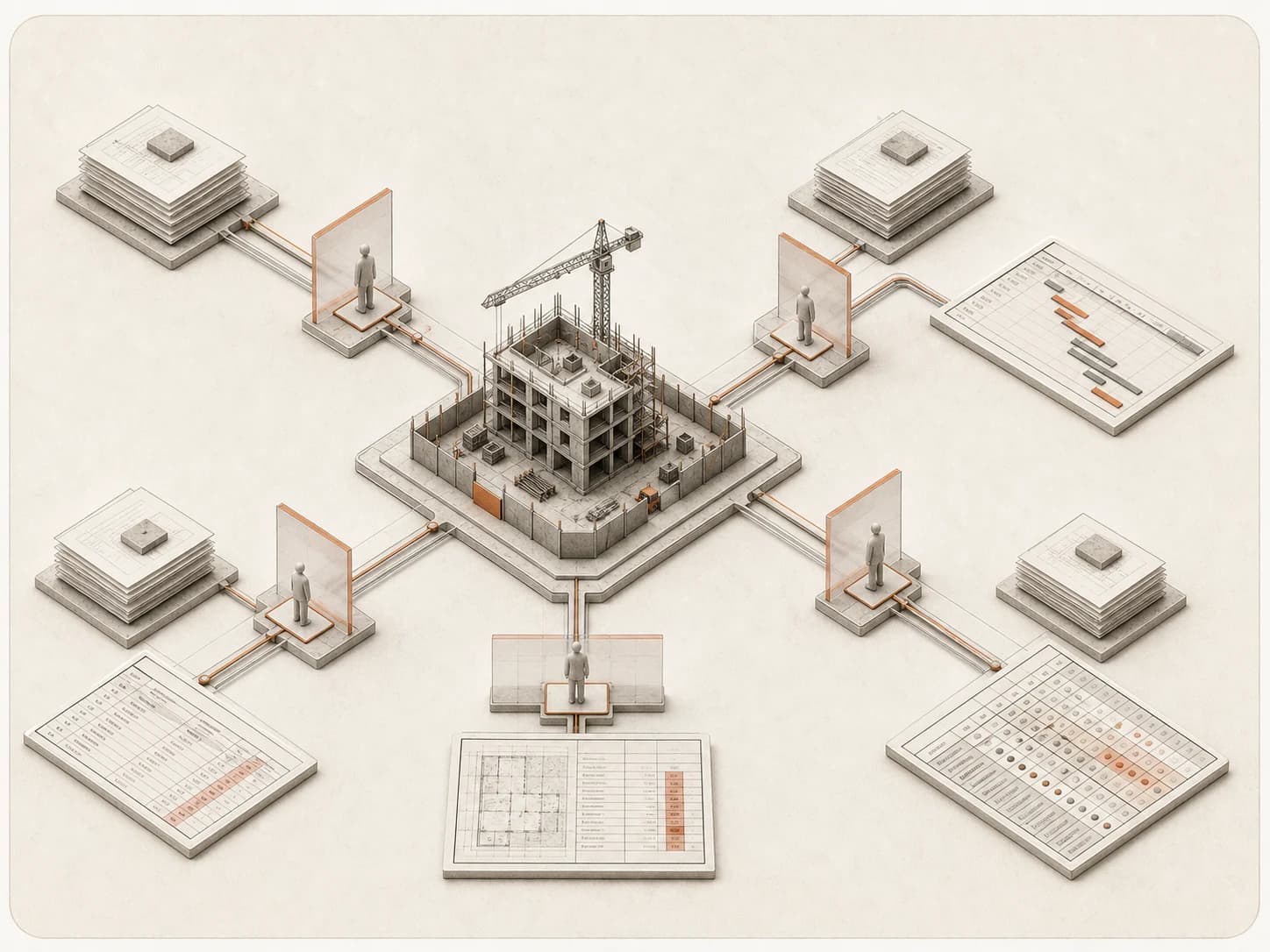
Four document-driven construction processes pass through review gates and produce schedules, BOQs, and structured sheets.

The problem

The method lives in one person's head

The same construction analysis gets repeated on every project, but rarely the same way twice.

What it costs today

When a process only exists as one person's checklist or spreadsheet, every run depends on who does it and what they remember.

  • Results vary by who ran it

    Without a defined process, steps get skipped or reordered, and two people rarely produce the same result from the same documents.

  • No record of what was used

    Once a schedule, BOQ, or comparison exists, nobody can easily trace which source documents and inputs produced it.

What changes with Workflows

Workflows will turn repeatable construction work into a visible process with known prerequisites, a controlled run, and a reviewed project artifact at the end.

  • Known inputs before a run starts

    Each process will state which project and documents it needs, and what is still missing, before it runs.

  • A reviewed output, kept with the project

    A run will stop at a review step, so the schedule, BOQ, comparison, or Smart Sheet it produces is only kept once someone accepts it.

How it works

From catalogue to accepted output

Six steps, the same way every time.

  1. 01

    Choose a prebuilt process

    Start from the Workflows catalogue instead of a blank automation canvas.

  2. 02

    Review the requirements

    See which project and documents the process needs, and what it will produce.

  3. 03

    Supply the inputs

    Select the correct schedule, BOQ, bid packages, or document set.

  4. 04

    Run the process

    Workflows will analyze the source material and prepare the process output.

  5. 05

    Review before accepting

    Inspect the proposed steps, findings, or results, and keep the acceptance decision with a person.

  6. 06

    Keep the output

    Open the resulting schedule, BOQ, comparison, or Smart Sheet in the project.

In practice

The catalogue at a glance

Four planned processes, each with its own inputs and output.

  • Schedule

    Turn source data into a schedule

    Schedule source data will become a project schedule surface with critical-path context.

  • BOQ

    Generate a bill of quantities

    Workflows will generate or structure a BOQ from the supported project documents.

  • Bid comparison

    Compare bids into one Smart Sheet

    Supplier or subcontractor bids will be compared and the result written into a Smart Sheet for review.

  • Smart Sheets

    Open the document-to-grid builder

    Smart Sheets will open directly from the catalogue as a standalone document-to-grid process.

Product in action

See how Workflows will work

Choose a process, supply the inputs, and review the result before it is kept.

Coming soon

Workflows walkthrough (planned)

Workflows is not built yet, so there is no screen to show. The walkthrough will cover choosing a process, supplying its required inputs, and reviewing the proposed result before anything is kept.

Capabilities

Workflows in the product

FIG. 01

Process catalogue (planned)

Each process will list its required inputs and expected output before it runs, shown here as a planned catalogue view.

The catalogue

The planned catalogue view, showing each process with its required inputs and output.

FIG. 02

Review step (planned)

A proposed result will wait here for a person to accept or return it before anything is kept, shown as a planned review panel rather than a live run.

The review step

A proposed result waiting for a person to accept or return it before it is kept.

Capabilities

Built for Workflows

A startable catalogue, visible inputs, and a review step before anything is kept.

A startable catalogue

Coming soon

Choose Schedule, BOQ, bid comparison, or Smart Sheets from a ready catalogue instead of building an automation from scratch.

Missing-input visibility

Coming soon

Each process will show what it needs and what is still missing before it can run.

A review point before it counts

Coming soon

A proposed result waits for a person to accept it before it is kept with the project.

Clear status, recoverable errors

Coming soon

Exceptions and missing scope stay visible instead of being forced into a false match, and a rejected or canceled run leaves a clear path back to the inputs.

Using it well

Get the most from Workflows

A repeatable process works best when the inputs are right and a person still checks the result.

Works well when

  • The same analysis needs to happen the same way on every project.
  • You want to see exactly what documents and inputs produced a result.
  • A person should review and accept the result before it is kept.

Reach for something else when

  • The work is a one-off task with no repeatable structure - use Tasks instead.
  • You need a process the catalogue does not yet cover; custom Workflows are planned for later.

FAQ

Workflows FAQ

Common questions about Workflows with Brickato.

Other modules

  • Assistant
  • Tasks
  • Smart Sheets
  • Library
  • Vault

Bring a live tender to the demo.

We load your own package on the call and you interrogate it yourself. If the findings do not hold up, you will know inside twenty minutes.

Book a demoContact sales